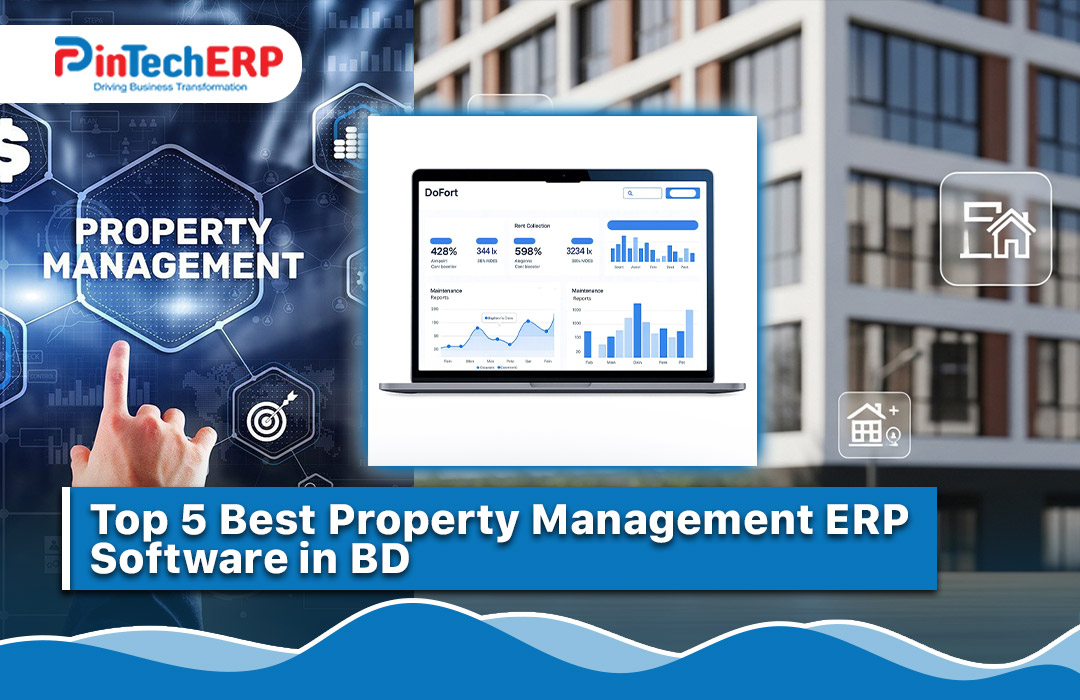
Property management ERP is software that helps owners, developers and management companies run rented or managed properties. It tracks tenants, leases, rent, service charges, utility bills, maintenance requests, assets and owner payments in one place, so money comes in on time and buildings stay in good shape.
If you manage apartment buildings, commercial towers, shopping centers or rental homes in Dhaka or other cities, this guide shows what to look for.
Who needs property management software?
- Developers who keep some units for rent or manage buildings after handover.
- Property management companies that run buildings for owners.
- Landlords with many units who are tired of notebooks and phone calls.
- Commercial building operators with offices, shops and common areas.
- Owner associations that collect service charges.
If you also sell units, read our guide to real estate ERP in Bangladesh. This page focuses on what happens after the sale or handover, or when the building stays under management.
The daily problems in property management
Property management looks simple, but small tasks pile up.
- Rent chasing. Who paid, who is late, who paid part? Someone calls each tenant.
- Lease dates. Renewals and rent increases are missed.
- Service charge confusion. Charges differ by unit size or type, and disputes follow.
- Utility billing. Electricity, water and gas share rules create errors.
- Maintenance delays. A leaking pipe is reported on WhatsApp and forgotten.
- Owner reports. Owners want a clear statement of rent in, expenses and net payout.
- Vendor control. Repair vendors are paid with weak records.
- Vacancy loss. Empty units stay empty because nobody follows up with leads.
The result is lost income and unhappy tenants and owners.
What property management ERP should do
1. Property and unit records. Buildings, floors, units, size, type, owner, status and photos. See what is rented, vacant, under repair or for sale.
2. Tenant and lease management. Tenant details, agreement dates, rent amount, advance, security deposit, increase rules and renewal reminders.
3. Rent invoicing and collection. Automatic monthly invoices, receipts, partial payment, late fees and due lists. Reminders by SMS or email.
4. Service charge and utility billing. Set charges by unit size, type or fixed amount. Split common costs fairly. Bill meter-based utilities if needed.
5. Maintenance and work orders. Tenants or staff raise a request. The manager assigns a vendor or technician. You track cost, status and completion.
6. Asset tracking. Lifts, generators, pumps, fire systems and AC units. Record service dates, warranties and repair history. See also asset management software.
7. Owner management. For managed buildings, show each owner’s units, rent collected, expenses, fees and net payout.
8. Vendor and purchase control. Approved vendors, quotes, purchase orders and bills.
9. Accounts and VAT. Rent income, service charge, expenses and deposits post to the ledger. Reports for owners, auditors and tax.
10. Reports and dashboards. Occupancy rate, rent due, collection rate, maintenance cost, expiring leases and owner statements.
Features that make life easier
Tenant portal or simple notifications. Tenants see dues and raise requests.
Lease expiry alerts. Reminders 60 or 90 days before an agreement ends.
Deposit tracking. Know exactly how much security money you hold for each tenant.
Meter reading entry. Fast input for water, gas or electricity shares.
Mobile use for site staff. Caretakers and supervisors can log issues and visits from a phone.
Vacancy and lead tracking. Record inquiries for empty units, site visits and follow-ups. A linked CRM helps here.
Rent, facility and asset: one system or three?
Some companies use one tool for rent, another for maintenance and a third for accounts. That means three places to update and three places to check.
A connected system keeps everything together. Rent is tied to the unit. The unit has a maintenance history. Costs flow to the owner’s statement. The books match.
For more on each area, see:
- Best property management software in Bangladesh
- Rental management ERP
- Property rental software in Dhaka
- Facility management software
- ERP for property management companies
How to choose property management software
Start with your portfolio. How many buildings and units? Residential, commercial or both? Owned, managed for others or both?
List your charges. Rent, service charge, parking, utility, maintenance fee, late fee. Check the system can model each of them.
Test billing. Give the vendor a sample building with different unit sizes and ask them to run a month of invoices.
Check owner reporting. If you manage for others, the owner statement is your product. It should be clear and printable.
Check maintenance flow. Raise a request, assign it, close it and see the cost reach the right account.
Check accounts. Rent and deposits need careful accounting. Ask to see the ledger entries.
Check local fit. BDT formats, cheque and mobile payment tracking, and your document formats.
Check support and price. Ask about unit limits, user limits and add-ons. For a general approach to quotes, read ERP software price in Bangladesh.
Mistakes to avoid
Using Excel for rent. It works for ten units. It breaks at a hundred.
Not separating deposits from income. Deposits are not earnings. Keep them clear.
Unclear service charge rules. Write the method down and set it once in the system.
Skipping maintenance history. Without it, you pay for the same repair twice.
No owner reports. Owners lose trust when they cannot see where money went.
A short example
A company manages three buildings with 90 units. Each month, the accountant prepares rent sheets by hand, calls late tenants and sends owners a summary a week after month end. Maintenance requests come by phone and WhatsApp.
With property management ERP, invoices go out on the first of the month. Reminders go out automatically before the due date. Tenants raise requests in the system. At month end, each owner receives a statement with rent, expenses, fees and net payout in a few clicks. The team spends less time chasing and more time improving service.
How PinPMS fits
PinPMS is our property management solution. [Add: confirm modules such as tenant and lease, rent invoicing, service charge, maintenance, assets, owner statements and the link to accounts. Add screenshots of the due list and owner statement, and one client example.]
If you are a developer who also sells units, PinBuild+ covers sales and construction, and the two systems can work together. See real estate ERP and CRM integration for how linked systems help.
To see it on your own buildings, request a demo and bring a sample rent sheet and a sample service charge rule.
Quick checklist
- Property and unit records with status
- Tenant and lease tracking with renewal alerts
- Auto rent invoices, receipts, late fees and reminders
- Service charge and utility billing
- Maintenance requests and work orders
- Asset tracking
- Owner statements and payouts
- Accounts and VAT built in
- Mobile use and clear pricing
FAQs
What is property management ERP? It is software that manages tenants, rent, service charges, maintenance, assets and owner reports for rented or managed buildings.
Can it collect rent automatically? It can create invoices and reminders automatically. Payment is recorded when received, and some systems link to online payment methods.
Is it only for big companies? No. Landlords with a small portfolio benefit too.
Can it manage owners and tenants separately? Yes. Owner statements and tenant invoices are separate views.
Does it handle service charges? A good system does, by unit size, type or fixed amount.
Can it manage commercial and residential together? Yes, if it supports different lease and charge types. Ask to see both in a demo.