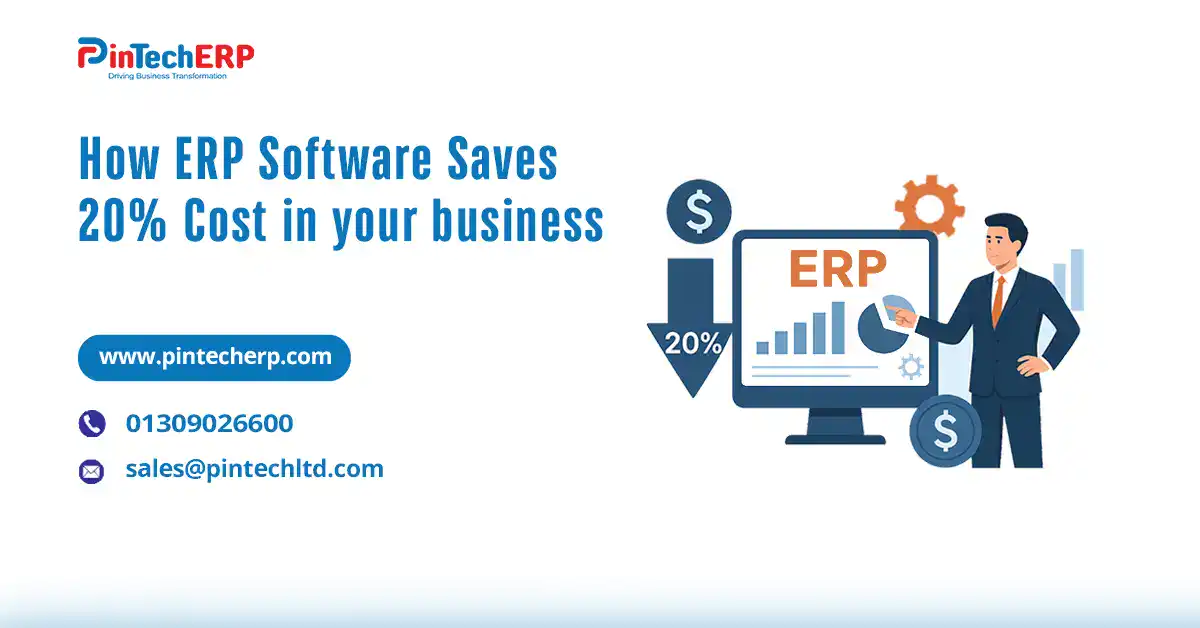
ERP saves cost in a few clear places: less staff time on repeat work, lower stock and waste, smarter purchasing, faster collection of money, fewer errors and less cost at audit and compliance time. The size of the saving depends on your business, so the right way to judge it is to measure your own numbers, not to trust a general promise.
This guide shows where the money usually comes from, how to estimate it and what to watch out for. It is honest about limits, because savings are not automatic.
First, an honest note
ERP costs money too. Software, setup, training and support are real. So the question is not “does ERP save money?” in general. The question is: will the savings in my business be larger than the cost? Use this page to find where your savings might be, and use the ERP ROI calculator to test them with your numbers. For the cost side, read ERP software price in Bangladesh and ERP implementation cost.
The eight main sources of savings
1. Staff time. In many offices, a large part of the day goes to re-typing, matching sheets, preparing reports and chasing information. ERP enters data once and produces reports on demand.
Where to look: hours spent each month on reports, reconciliation, payroll preparation and data entry. Multiply by the cost per hour.
2. Stock cost. Too much stock ties up cash and risks expiry or damage. Too little causes lost sales. ERP gives accurate stock, reorder levels and aging reports.
Where to look: slow and dead stock, expired goods, emergency purchases and stock-out losses. See inventory management software.
3. Waste and leakage. Material waste, theft, over-issue and unrecorded use are hard to see on paper. ERP records issues against orders, BOMs or BOQs and compares planned with actual use.
Where to look: wastage in production, site material use and variance between purchase and usage. See manufacturing ERP and BOQ management software.
4. Purchasing. ERP shows supplier price history, compares quotes and warns before rush buying. It also helps you avoid double orders and pay only for what you received.
Where to look: price differences between suppliers, rush purchase premiums and bill errors. See supply chain management software.
5. Collection and credit. When dues are visible by age and credit limits are enforced, customers pay sooner and bad debt falls. Faster collection reduces borrowing cost too.
Where to look: average days to collect, overdue amount and past bad debts.
6. Errors and rework. Wrong invoices, wrong shipments, payroll mistakes and wrong stock cost money to fix, and sometimes cost customers. ERP checks and links data to prevent many of them.
Where to look: credit notes, returns, payroll corrections and rework hours. See HR software in Bangladesh.
7. Compliance and audit effort. Clean, traceable records shorten VAT preparation and audits, and reduce the risk of penalties from mistakes. See accounting software in Bangladesh.
Where to look: hours and fees spent on audit preparation and corrections.
8. Costs of running many tools. Several separate tools mean several licenses, several support contracts and the cost of moving data between them. One system can replace some of them.
Where to look: the sum of all software fees and the time spent on integration by hand.
Savings by industry
The biggest savings differ by business.
- Real estate and construction: faster installment collection, less material leakage and early cost overrun alerts. See real estate ERP and construction ERP.
- Manufacturing: lower wastage and better yield, fewer stock-outs and true costing. See production planning ERP.
- Garments and footwear: fabric and material consumption, on-time delivery and cost per order. See garments ERP and footwear ERP.
- Trading and import: correct landed cost, credit control and stock turnover. See ERP for trading business.
- Retail and distribution: stock accuracy across outlets, fewer lost sales and better credit. See POS software and distribution software.
- Service firms: more billable time captured and faster invoicing. See ERP for service businesses.
How to estimate your own savings
Use this simple five-step method.
- Pick three areas from the list above where your pain is largest.
- Measure the current cost for each, using your own records for the last three to six months.
- Estimate a modest improvement. For example, a small percentage drop in waste or fewer hours on reports. Be conservative.
- Convert to money per month.
- Compare with the total cost of ERP over three years.
Example layout:
If the total saving over three years is clearly larger than the total cost, the case is strong. If not, reconsider the scope or start with fewer modules.
What can reduce or cancel the savings
Savings are not automatic. They disappear when:
- Staff do not use the system. If people keep a parallel Excel, you pay twice.
- Data is poor. Wrong items and balances give wrong reports.
- The system does not fit your industry. Heavy customization eats the savings.
- Training is weak. Errors continue.
- Management ignores the reports. If nobody acts on the numbers, nothing changes.
- The project is too big at the start. Delays and cost overruns follow.
The fix is a phased plan and strong ownership. See ERP implementation steps and how to choose the right ERP software.
Savings that are real but hard to count
Some gains do not show as a line in the books:
- Better decisions from live data
- Less owner time spent chasing information
- Lower risk of fraud and serious errors
- Easier growth into new branches
- Stronger trust with banks and investors
List them, but keep them out of your main savings number.
A short example
A distribution company reviews three areas before buying ERP. Staff spend many hours each month matching sales and stock. Dealer dues are often late. A few fast items run out while slow items sit idle.
After ERP, the matching work drops sharply, aging reports lead to earlier follow-up, and reorder levels are based on real sales. The company does not see all of this in the first month. But by the end of the first year, the three areas together are worth more than the yearly cost of the system, so the owner extends ERP to the sales team and adds mobile order taking.
(This is an illustration of the method, not a promise of results.)
Where PintechERP fits
PintechERP connects accounts, sales, purchase, stock, HR and industry modules, so the savings areas above sit in one system. [Add: one real, permitted client story with a measured saving, a time frame and what changed. If you cannot share numbers, describe what was measured, such as “month-end close from X days to Y days”.]
To estimate savings for your business, request a demo and a business case review, and bring your numbers for the three areas where you lose the most.
Quick summary
- Main savings: staff time, stock, waste, purchasing, collection, errors, compliance and tool costs
- Measure your own numbers, with a conservative view
- Compare total savings with the three-year cost
- Savings need good data, training and management use
- Start with core modules to protect the return
FAQs
How does ERP save money? By cutting repeat work, waste, stock cost, errors and late payments, and by improving purchasing and control.
How much will I save? It depends on your business. Measure your own costs and use a conservative estimate.
Does ERP pay for itself? Often, when the scope is right and the team uses it well. Use the ROI calculator to check.
What is the biggest saving for most companies? It varies. Many see the clearest early gains in staff time and stock, and later gains in collection and waste.
Can ERP increase cost? It can if the project is too large, poorly planned or not used. A phased plan reduces the risk.
How long until savings show? Time savings can appear in a few months. Stock and collection gains often take longer.